Official logo of Taki Studio, representing professional product architecture and UI/UX design excellence for complex digital ecosystems.

EDI Dashboard

EDI Dashboard

Enterprise Saas

Operational Dashboard

Turning data overload into decision support for enterprise support engineers
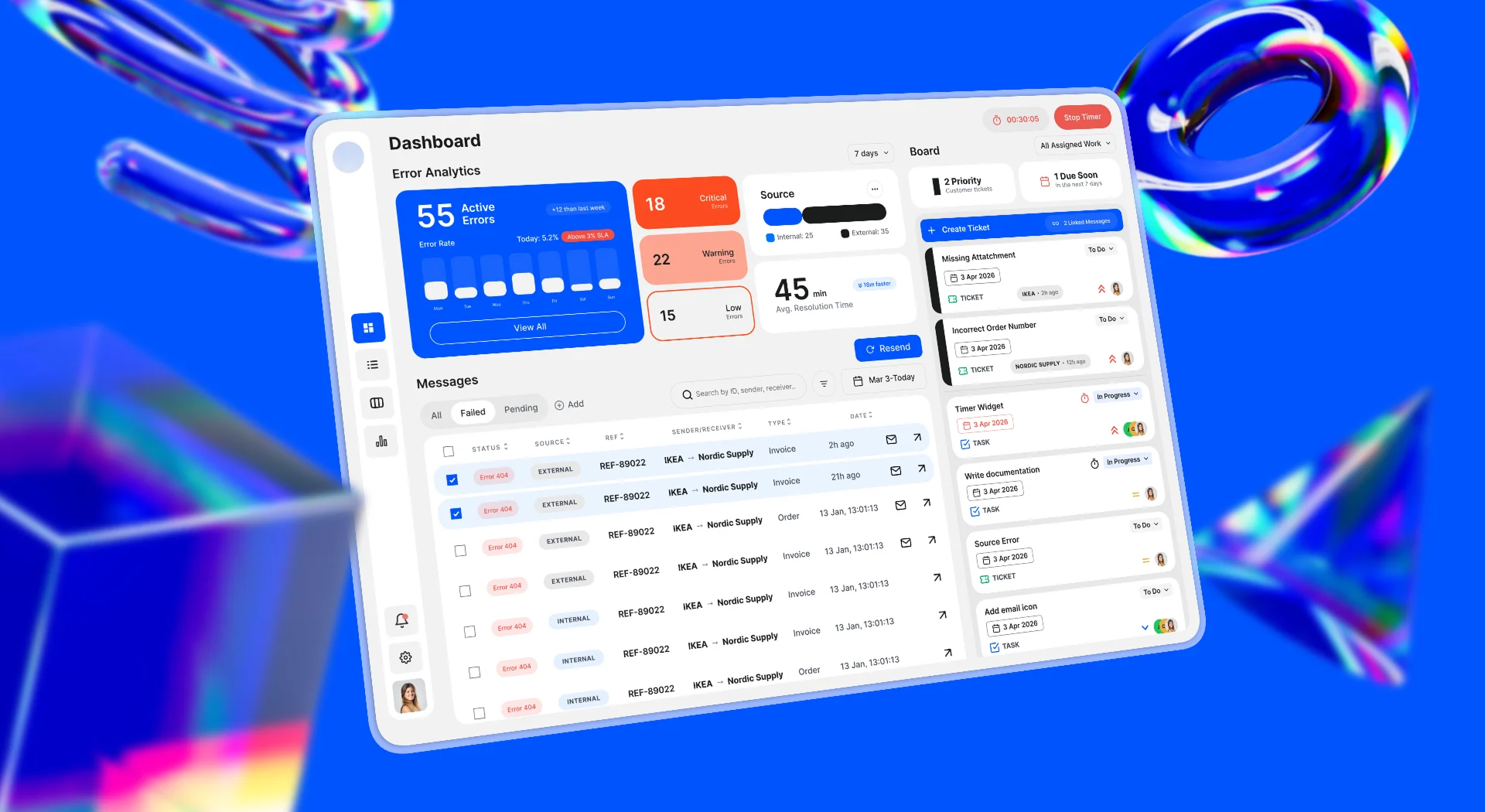
A high-fidelity mockup of the EDI Command Center dashboard displayed on a laptop screen against a blue gradient background. The interface shows a data-dense layout organized into clear functional zones for analytics, message tracking, and task management.

Year

2026

Industry

Enterprise Saas, B2B Integration Technology.

Scope

Design challenge | Enterprise Recruitment Brief

Context

This was a design challenge set by a large enterprise EDI software company. EDI (Electronic Data Interchange) is the system that moves critical business data - invoices, orders, delivery notices - between companies automatically. When it breaks, the downstream impact is immediate: delayed shipments, failed payments, broken partner relationships.

The support engineers managing these failures needed a single, fast, intelligent workspace. They had the opposite.

Challenges

Context Switching

Errors lived in one tool. Tickets in another. Message detail required a third page entirely. Every transition broke focus and cost time.This created 4 recurring problems:

Everything looked equally important

No visual hierarchy meant no triage. Engineers had to read every row to find the fire.

Errors and tickets were disconnected

Raising a ticket meant leaving the error view, losing context, and manually re-entering information that was already on screen.

Priority was invisible

The ticket board had no clear urgency structure. Urgent and routine sat side by side.

Design Goal

Design a single workspace where an engineer can identify the highest-priority issue, understand its full context, and take action - without leaving the screen.

Approach

I had no direct user access, so I built understanding two ways: AI-assisted persona modelling to define the support engineer's mental model under pressure, and a review of ecosio's published EDI dashboard research to ground the solution in industry-validated patterns.

From there, I mapped the engineer's happy path - the sequence from first alert to resolution - and used it as the structural backbone of the entire interface.

Mapping the happy path

Before sketching anything, I mapped the core user flow in FigJam - the sequence of steps an engineer takes from first seeing an alert to resolving the underlying issue. The goal was to identify where the current workflow had dead ends, unnecessary detours, or missing connections.

This flow became the structural backbone of the dashboard. Every section of the interface corresponds to a stage in that journey.

Defining the information architecture

The biggest architectural decision was what to show, in what order, and at what level of detail. EDI data is dense and multi-layered. Showing everything creates noise showing too little means engineers miss context they need to act.

I structured the interface as a narrative funnel - each layer answers a more specific question than the one before it:

  • What is the overall situation? → Error analytics at the top

  • Which specific messages need attention? → Message table in the middle

  • What action needs to be taken? → Ticket board and inline actions at the right

Layout and visual language

Layout exploration started with low-fidelity sketches focused on modularity and breathing room. The visual approach follows a functional minimalist direction - components earn their place through utility. Nothing is decorative.
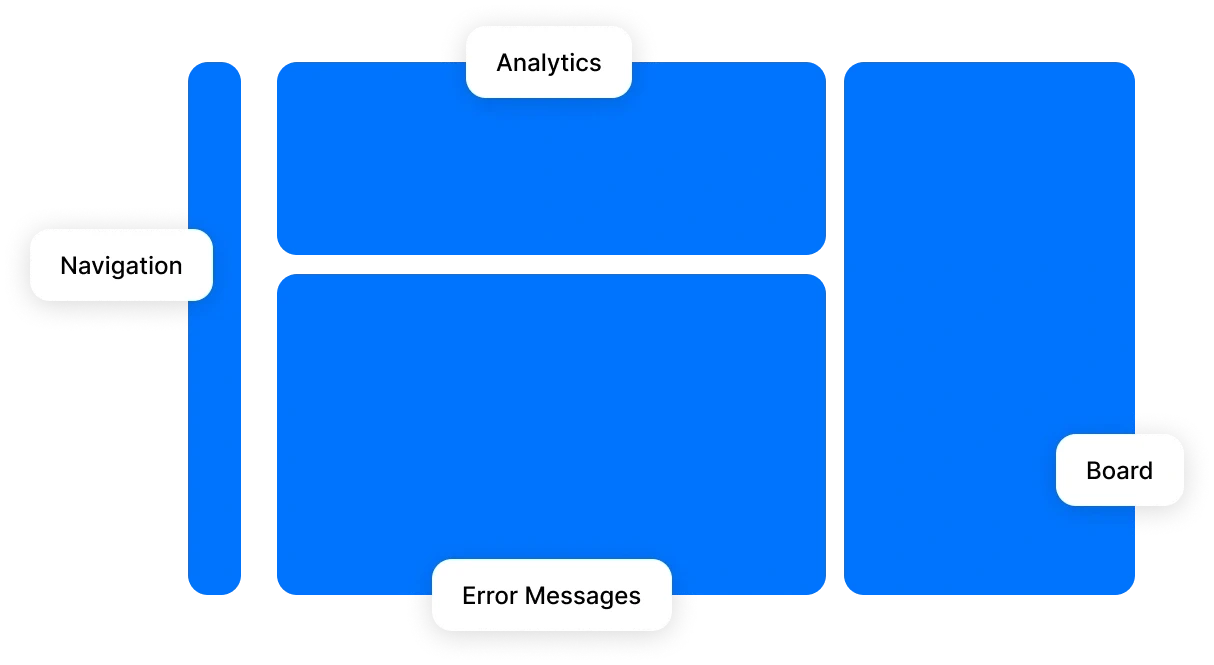
A structural wireframe diagram highlighting the dashboard’s Information Architecture. It identifies four main zones: a narrow vertical Navigation bar on the left, a top-center Analytics section, a large central Error Messages table, and a dedicated right-hand Board for ticket management.

Design Decisions

Selective signalling - Every Color earns its place

The temptation in data-heavy interfaces is to tag, colour, and iconify everything. The result is the same overload you started with, just more colourful.

Every visual element in this dashboard passed a single test: does this help the engineer find the fire faster, or does it add noise? If it couldn't answer that question, it was removed.

The result: signals stand out because the rest of the interface stays quiet.

The message table - From log to story

Instead of raw data rows, each message answers four questions in sequence:

Questions

Fields

Is there a fire?

Status + Source

Who's involved?

Reference + Partner

What's the impact?

Message type + Relative time

What can I do?

Resend / Email / Details
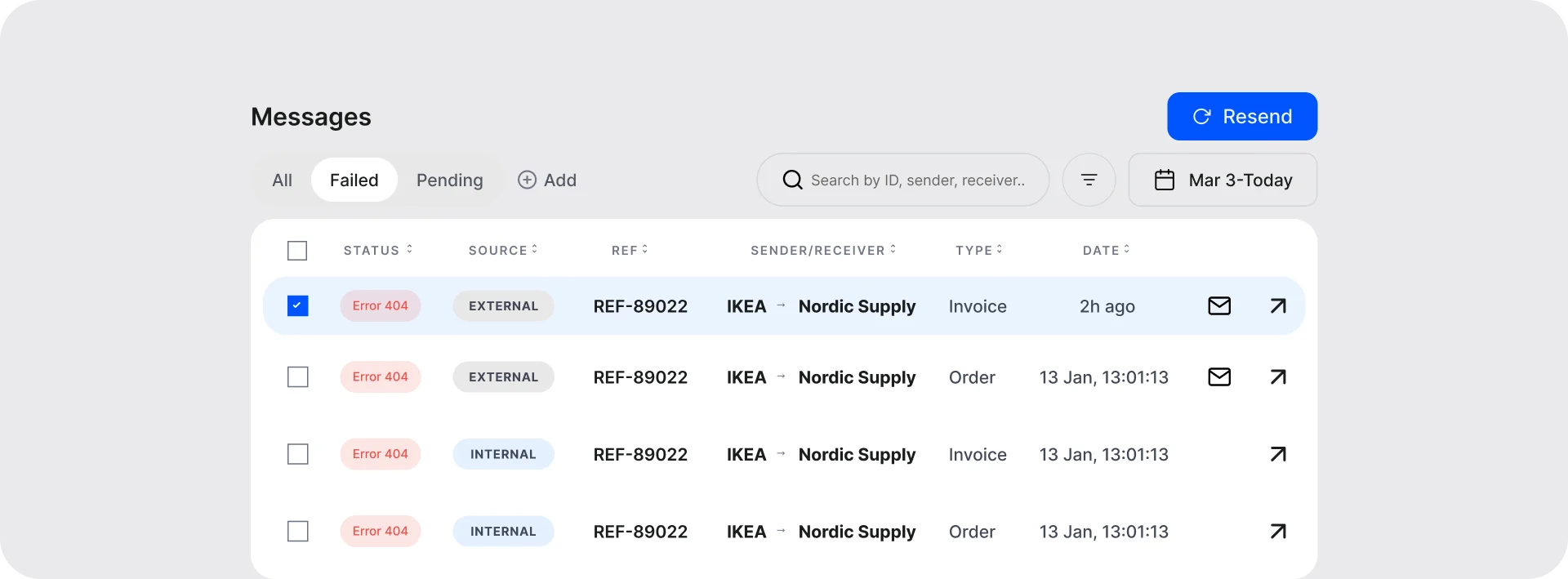
A detailed view of the "Messages" component. The table uses functional minimalism to display error statuses (e.g., Error 404), source origin, reference IDs, and sender/receiver details, with clear call-to-action buttons for resending failed data.

Integrated ticket creation - No context switching

In the existing workflow, raising a ticket required leaving the message view entirely. This meant engineers either had to remember which messages were relevant or navigate back and forth to check.

In the Command Center, ticket creation is triggered directly from the message table. When one or more messages are selected, a create ticket action becomes available. The messages selected at that moment are automatically linked to the new ticket.

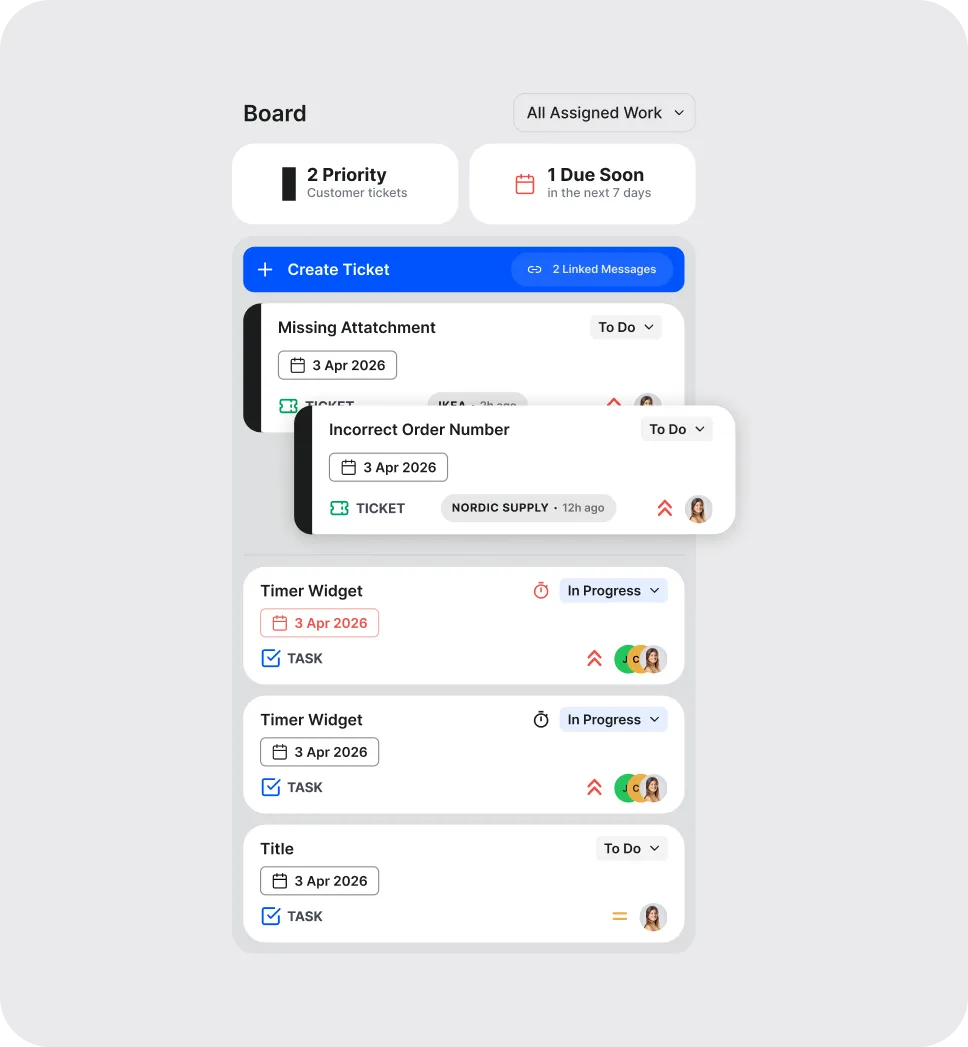
The ticket board - designing for the exception

Partner-originated tickets - those raised by an external business rather than the internal system - require a different kind of attention. They carry relationship implications that system-generated tickets do not.

These tickets are visually marked by a left-edge belt and above system tickets by default. This applies a designing for the exception principle - the anomaly that demands human attention should be impossible to miss.

A detailed view of the integrated "Board" sidebar. It shows a Kanban-style list of support tickets (e.g., "Missing Attachment") with priority tags, due dates, and linked message indicators, designed to bridge the gap between error detection and manual resolution.

One iteration that mattered - Priority clarity

During an AI-simulated audit of the completed dashboard, one issue emerged clearly: the priority hierarchy within the ticket board was not immediately legible. Cards of different priority levels were visually similar enough that the distinction required active reading rather than passive scanning.

One change - a visual separator between priority tiers - made the structure legible in under a second. Small change, significant impact on triage speed.
Integrated ticket creation - No context switching

In the existing workflow, raising a ticket required leaving the message view entirely. This meant engineers either had to remember which messages were relevant or navigate back and forth to check.

In the Command Center, ticket creation is triggered directly from the message table. When one or more messages are selected, a create ticket action becomes available. The messages selected at that moment are automatically linked to the new ticket.

The ticket board - designing for the exception

Partner-originated tickets - those raised by an external business rather than the internal system - require a different kind of attention. They carry relationship implications that system-generated tickets do not.

These tickets are visually marked by a left-edge belt and above system tickets by default. This applies a designing for the exception principle - the anomaly that demands human attention should be impossible to miss.

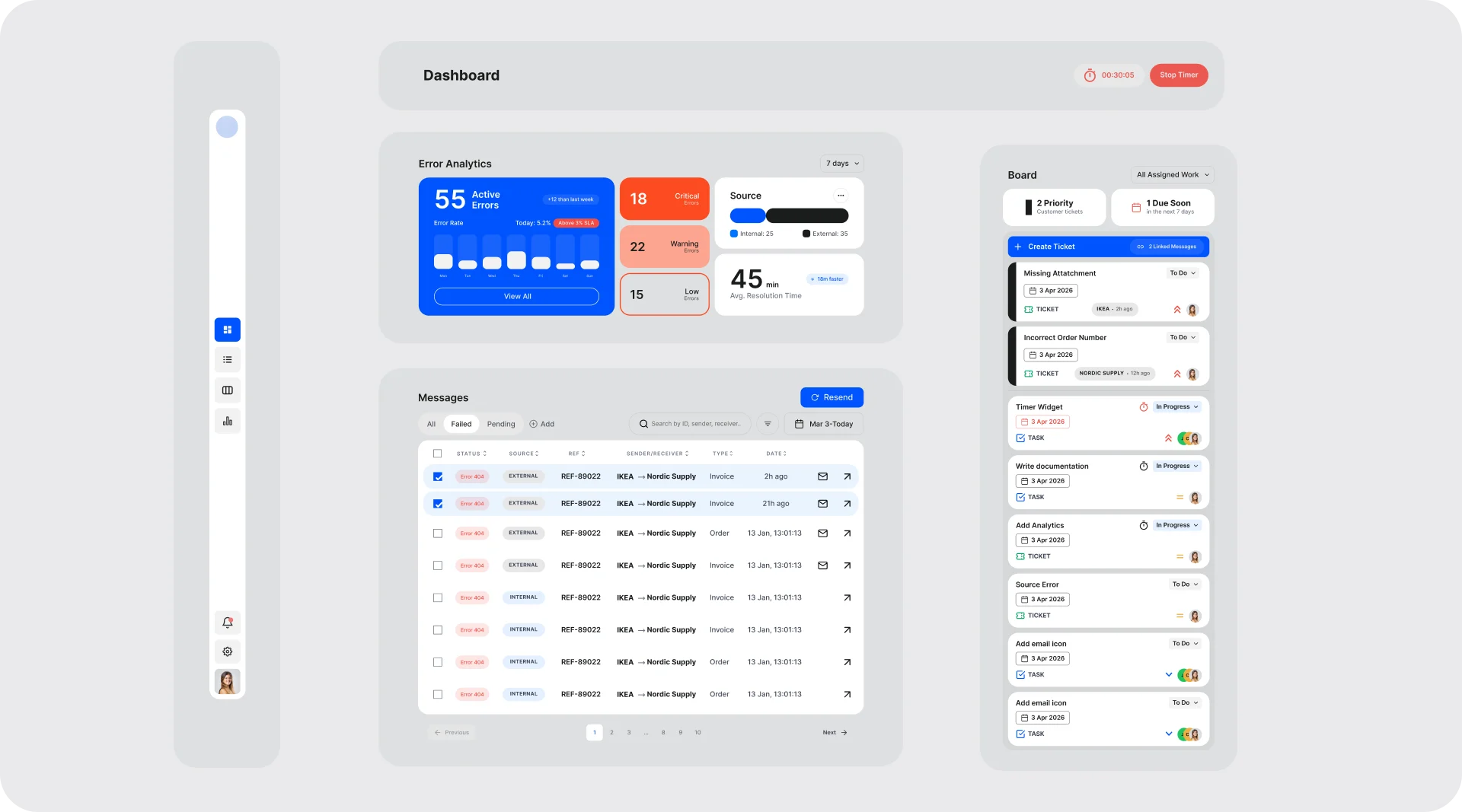
An exploded view of the dashboard’s modular components. The image separates the navigation sidebar, the primary data widgets, the message logs, and the ticketing board, demonstrating the "LEGO piece" systemic design approach used to build the interface.

Final Solution

The completed design delivers 3 interconnected views within a single interface:

Dashboard view. Error analytics, message table, and ticket board in one non-scrolling layout. An engineer can move from situational awareness to specific action without navigating away.

Message detail drawer. Full message inspection is accessible inline via a side drawer, keeping the dashboard context intact while surfacing the depth of information needed for investigation.

Ticket creation modal. Contextual, connected, and designed for continuation - linked messages, priority setting, and a secondary action that keeps the engineer in flow.
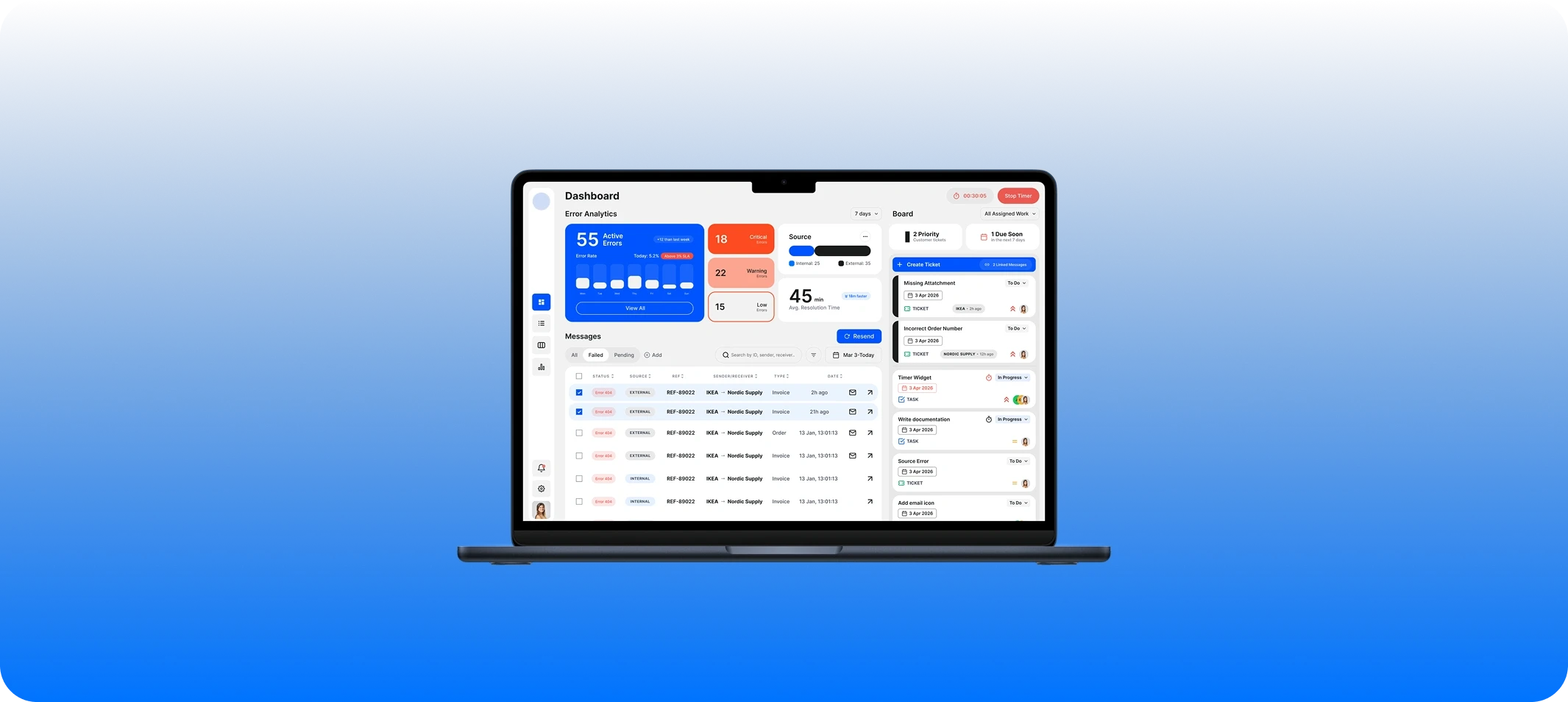
A perspective view of the EDI Command Center desktop interface. The design features a light-themed, high-contrast dashboard with card-based widgets for "Error Analytics," an interactive "Messages" table for tracking data flows, and a "Board" sidebar for managing support tickets

Reflections

What I would do differently with more time

The persona work in this project was AI-assisted rather than research-based. Given access to actual support engineers, I would have conducted structured interviews focused on two things: how they currently prioritise during high-volume incidents, and what information they most frequently have to go looking for. Both of those questions would likely have sharpened the message table hierarchy and the ticket board logic.

I would also have tested the dashboard with a time-pressured scenario — giving a user a specific error to find and resolve, and watching where they hesitated. Hesitation is where the design has failed.

What the project demonstrated

This wasn't a visual problem. It was an information architecture problem.

The question was never how should this look - it was what does an engineer need to know, in what order, and what should they be able to do without leaving this view?

Getting that right made every visual decision easier to defend.

AI Integration

When asked how I'd extend this dashboard with AI, here's the thinking:

The principle: AI should shrink the distance between noticing a problem and resolving it. Every application below was evaluated against that - if it didn't make triage faster or more confident, it didn't belong.

  • Error pattern clustering: Group messages that share a root cause. Instead of 50 individual failures, the engineer sees one problem with 50 instances.

  • Predictive priority scoring: Static priority tags don't account for context. A failed invoice at 9am Monday from a high-volume partner is more urgent than the same error on a Sunday night. AI scores dynamically based on partner volume, message type, and time - giving engineers a faster starting point when the queue is full.

  • Anomaly detection: Clustering handles the known. Anomaly detection handles the unknown. A message that doesn't fit any established pattern is often the earliest signal of a new systemic issue. It gets a distinct visual flag - not competing with routine errors, impossible to miss.

  • Resolution suggestions: When a pattern is recognised, the system surfaces what resolved it historically. The engineer reads, validates, and acts - rather than diagnosing from scratch.

  • Smart ticket pre-population: AI drafts the title, description, and suggested priority from message content. The engineer edits rather than writes from blank - staying in resolution mode, not documentation mode.

  • Natural language search: During a live incident, precise filter syntax creates friction at the worst moment. Engineers type how they think: "invoices from Nordic Supply failing this week" - and the system understands.

This project was completed as a design challenge submission. AI tooling was used for persona development, research synthesis, and solution auditing. All design decisions, structural rationale, and visual direction are my own.
An exploded view of the dashboard’s modular components. The image separates the navigation sidebar, the primary data widgets, the message logs, and the ticketing board, demonstrating the "LEGO piece" systemic design approach used to build the interface.
A structural wireframe diagram highlighting the dashboard’s Information Architecture. It identifies four main zones: a narrow vertical Navigation bar on the left, a top-center Analytics section, a large central Error Messages table, and a dedicated right-hand Board for ticket management.
A detailed view of the "Messages" component. The table uses functional minimalism to display error statuses (e.g., Error 404), source origin, reference IDs, and sender/receiver details, with clear call-to-action buttons for resending failed data.
A detailed view of the integrated "Board" sidebar. It shows a Kanban-style list of support tickets (e.g., "Missing Attachment") with priority tags, due dates, and linked message indicators, designed to bridge the gap between error detection and manual resolution.
A perspective view of the EDI Command Center desktop interface. The design features a light-themed, high-contrast dashboard with card-based widgets for "Error Analytics," an interactive "Messages" table for tracking data flows, and a "Board" sidebar for managing support tickets

Other Projects

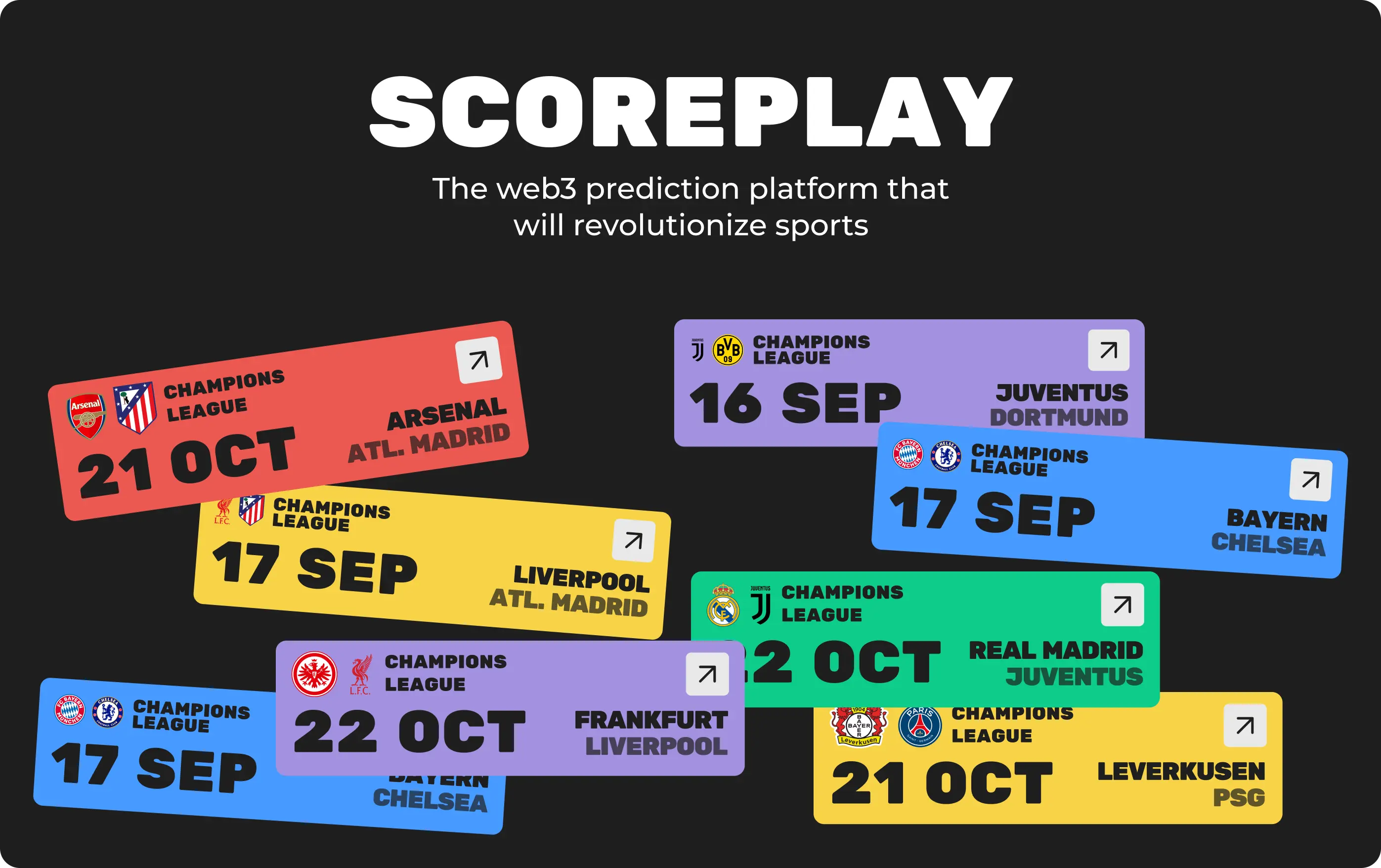
The Scoreplay project presentation header showing a collection of colorful, modular sports match tickets and the Web3 prediction platform title.
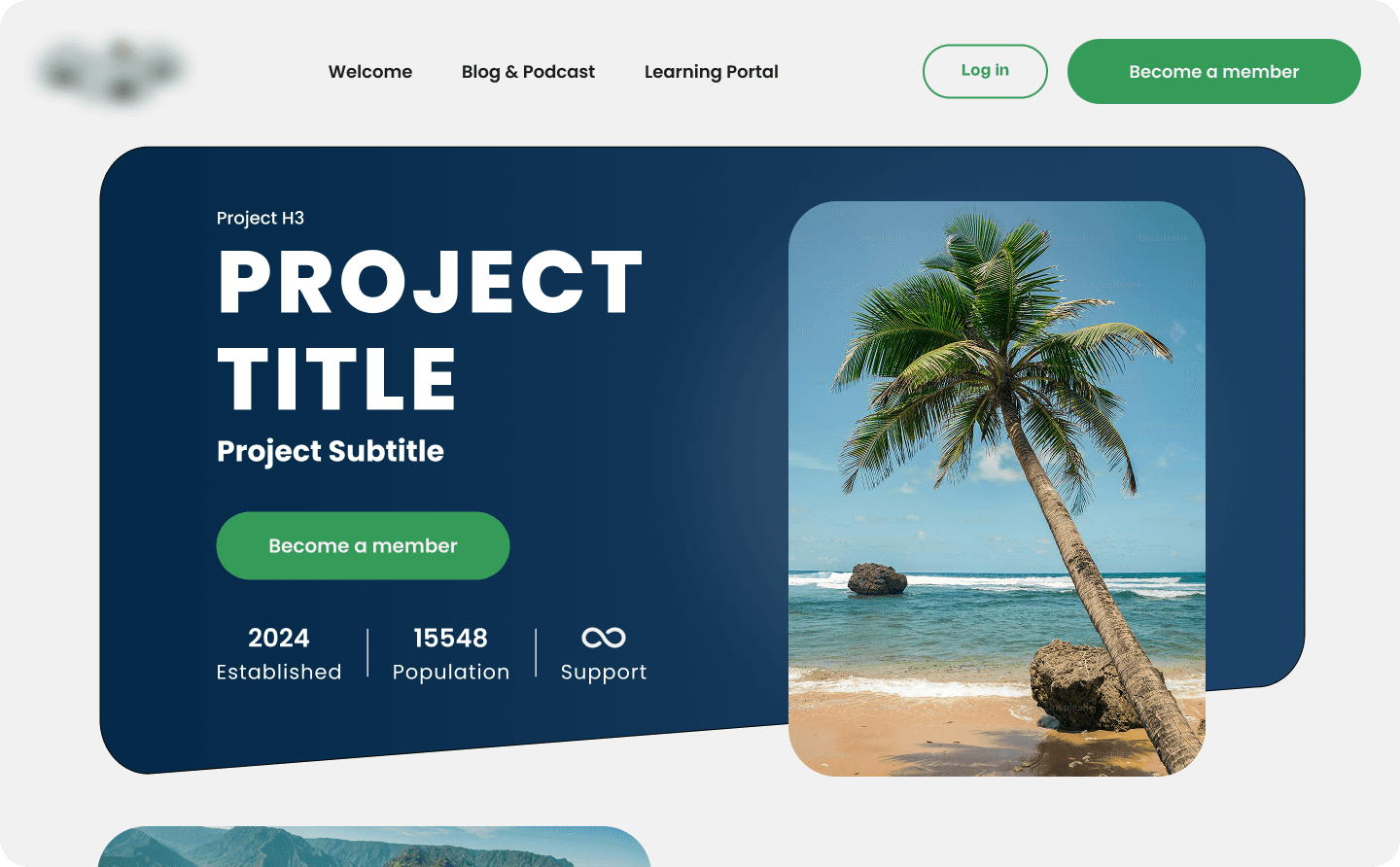
A high-end hero section for an e-learning platform featuring a minimalist layout, brand typography, and a "Become a Member" call-to-action to drive community growth.
White Mezzala logo centered over a classic Hudson River School landscape painting featuring a river, trees, and dramatic lighting.
Comprehensive visual identity presentation for Most CRM, showcasing the blue bridge monogram, clinical typography, and the brand applied to a medical dashboard and mobile interface.

Solutions

Modern brands don't need random features, they need infrastructure. I’ve comparted my process into three architectural tiers designed to take you from a raw concept to a high authority market leader.

foundation

Market Ready Identity

Perfect for founders who need a rock solid, scalable base to launch their vision with confidence.

Launch your business

foundation

Market Ready Identity

Perfect for founders who need a rock solid, scalable base to launch their vision with confidence.

Launch your business

The Operational System.

Expansion

Designed for established brands ready to automate their content and turn their website into a functional business asset.

Grow your business

The Operational System.

Expansion

Designed for established brands ready to automate their content and turn their website into a functional business asset.

Grow your business

Objective diagnostics to identify technical debt, mitigate operational risks, and align IT roadmaps with sustainability goals.

Consulting & Audit

The Data Driven Powerhouse.

All on your business

Objective diagnostics to identify technical debt, mitigate operational risks, and align IT roadmaps with sustainability goals.

Consulting & Audit

The Data Driven Powerhouse.

All on your business

Stack

Figma

Creative Cloud

Framer

Google Console

Google Analytics

© 2025 Taki Taki Designs

Stack

Figma

Creative Cloud

Google Console

Framer

Google Analytics

© 2025 Taki Taki Designs

A high-end hero section for an e-learning platform featuring a minimalist layout, brand typography, and a "Become a Member" call-to-action to drive community growth.
White Mezzala logo centered over a classic Hudson River School landscape painting featuring a river, trees, and dramatic lighting.
Comprehensive visual identity presentation for Most CRM, showcasing the blue bridge monogram, clinical typography, and the brand applied to a medical dashboard and mobile interface.

Questions

Fields

Is there a fire?

Status + Source